
Download Banana Bread – Free 3D Browser FPS Game
Overview
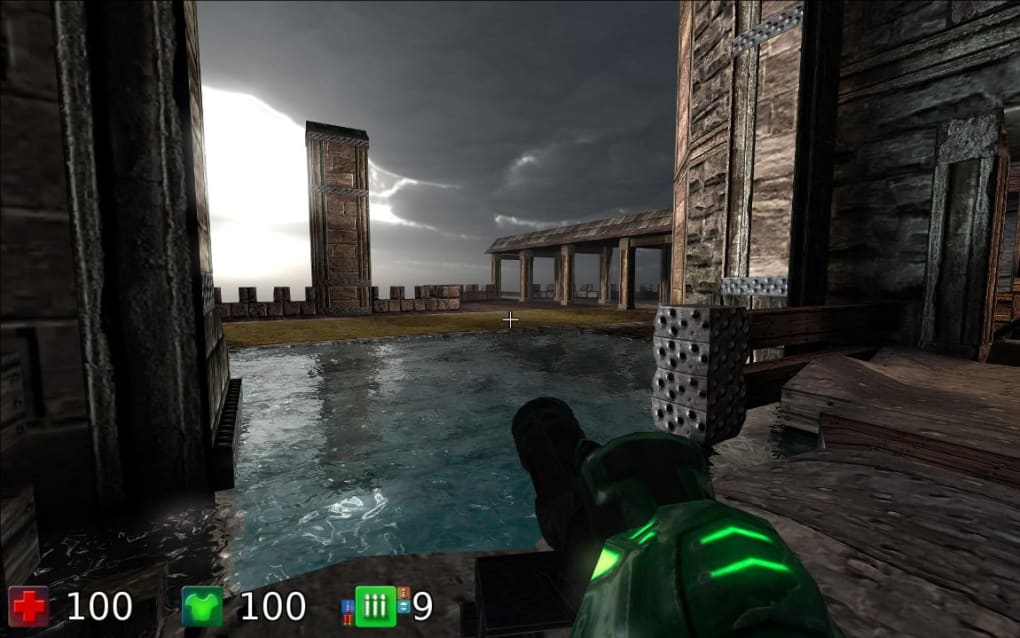
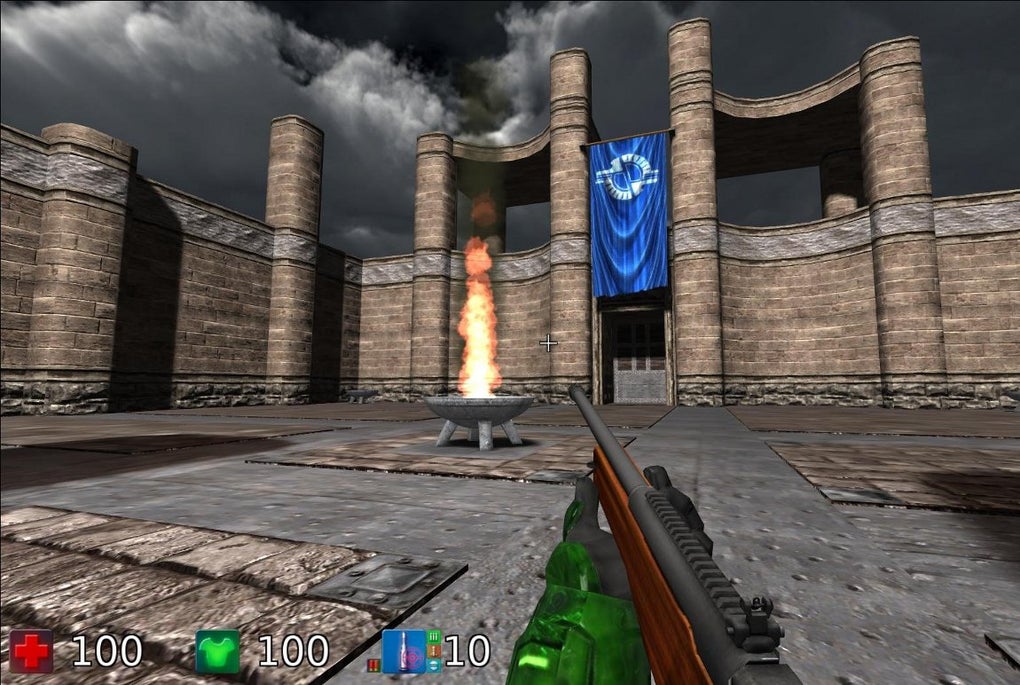
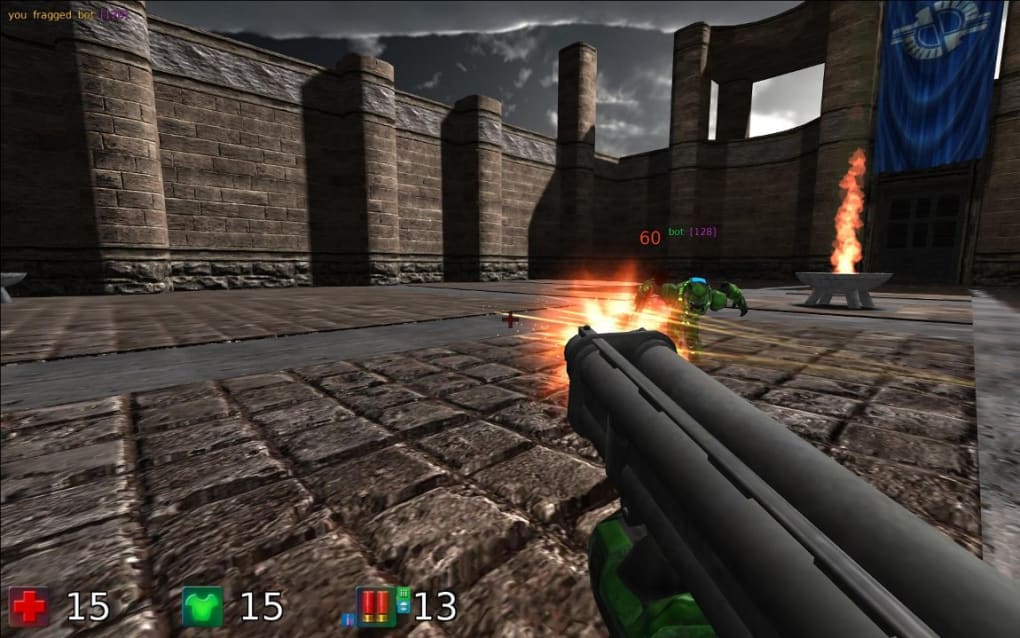
Banana Bread is a groundbreaking first‑person shooter that lives entirely inside modern web browsers. Built on the powerful Cube 2: Sauerbraten engine, the game is written in C++ and OpenGL and then compiled to WebAssembly using Emscripten, allowing it to run natively in Firefox, Chrome, and other standards‑compliant browsers without any plug‑ins or additional downloads. The demo showcases five distinct levels—Arena, Two Towers, Lava Chamber, Future, and Lava Rooms—each designed to test different aspects of reflexes, map awareness, and weapon mastery.
Players navigate with the classic WASD layout, jump with Space, and switch among five weapons using the number keys, while the mouse controls view direction and shooting. The resolution can be toggled between Low and High, giving users the flexibility to prioritize visual fidelity or performance based on their hardware. Although Internet Explorer is not supported, anyone using a recent version of Chrome or Firefox can instantly launch the game, proving that high‑quality 3D FPS experiences are no longer confined to native executables.
Banana Bread isn’t just a novelty; it’s a proof‑of‑concept that demonstrates how JavaScript, WebGL, and modern web standards can deliver immersive, fast‑paced action directly from a web page.
Key Features & Gameplay
- Browser‑native 3D FPS built on the Cube 2 engine, compiled with Emscripten.
- Five uniquely themed levels: Arena, Two Towers, Lava Chamber, Future, and Lava Rooms.
- Full mouse‑and‑keyboard controls (W/A/S/D movement, Space jump, 1‑5 weapon selection).
- Resolution toggle (Low / High) to balance performance and visual quality.
- No plug‑ins required – runs directly in modern browsers supporting WebGL.
- Real‑time lighting and particle effects powered by WebGL.
- Experimental sci‑fi environments in Future and Lava Rooms for advanced players.
- Instant load times thanks to WebAssembly compilation.
- Open‑source roots, encouraging community mods and extensions.
- Cross‑platform accessibility: works on Windows, macOS, Linux, and Chrome OS via the browser.
Each level has been meticulously crafted to keep the gameplay loop fresh. The Arena pits you against endless waves of bots, ideal for sharpening raw shooting skills. Two Towers introduces verticality, requiring players to climb and control high ground.
Lava Chamber mixes hazardous environments with hidden teleporters, rewarding exploration. The Future level pushes the visual envelope with neon‑lit corridors and low‑gravity sections, while Lava Rooms returns to the classic molten aesthetic with tighter corridors that test reaction time. The weapon set, accessed via the number keys, ranges from rapid‑fire pistols to high‑damage rocket launchers, giving a balanced arsenal for varied play styles.
The combination of fast‑paced combat, strategic level design, and the ability to switch graphics settings on the fly makes Banana Bread a compelling showcase of what browser‑based gaming can achieve.
Installation, Controls, and Compatibility
How to Get Started
Getting Banana Bread up and running is intentionally simple. Follow these steps:
- Open your preferred modern browser (latest Chrome, Firefox, Edge, or Safari).
- Navigate to the official Banana Bread demo page (provided by Mozilla).
- Click the “Play” button; the game loads directly in the browser window.
- If prompted, allow the page to use WebGL hardware acceleration for optimal performance.
- Adjust the resolution selector (Low or High) in the settings menu before starting a level.
Control Scheme
The control layout mirrors classic PC shooters, ensuring an intuitive learning curve:
- W / A / S / D – Move forward, left, backward, right.
- Space – Jump.
- Mouse movement – Look around.
- Left mouse button – Fire current weapon.
- Number keys 1‑5 – Switch between available weapons.
- Esc – Pause and access the options menu.
System Requirements & Operating System Support
Because Banana Bread runs in the browser, it inherits the compatibility of the underlying engine. The game works on any operating system that supports a modern, WebGL‑capable browser, including:
- Windows 10/11 (64‑bit)
- macOS 12 Monterey and later
- Linux distributions with recent Chromium or Firefox builds
- Chrome OS devices (Chromebooks)
- Android tablets and phones with Chrome (WebGL enabled)
- iOS devices using Safari (WebGL support varies; best experience on iPad)
Internet Explorer is not supported because it lacks the required WebGL and WebAssembly features. Users on older hardware should stick to the Low resolution mode to maintain a smooth frame rate. The game automatically detects your GPU capabilities and will warn you if performance may suffer.
Pros, Cons, FAQ, and Final Verdict
Pros & Cons
- Pros
- Runs instantly in the browser—no installation required.
- High‑quality 3D graphics powered by WebGL and WebAssembly.
- Five varied levels keep gameplay fresh.
- Customizable resolution for older machines.
- Open‑source foundation encourages community contributions.
- Cons
- Not compatible with Internet Explorer.
- High‑resolution mode can be demanding on low‑end GPUs.
- Limited multiplayer features; currently single‑player demo only.
- Audio options are basic compared to full‑blown desktop shooters.
Frequently Asked Questions
Do I need to download any files to play Banana Bread?
No. The game loads directly from the web page using WebGL and WebAssembly, so there is nothing to install on your computer.
Which browsers are supported?
The latest versions of Chrome, Firefox, Edge, and Safari (with WebGL enabled) are fully supported. Internet Explorer is not compatible.
Can I play on a mobile device?
Yes, Android phones and tablets with Chrome, as well as iPads with Safari, can run the demo, though the experience is best on larger screens.
Is there a multiplayer mode?
Currently Banana Bread is a single‑player showcase. The underlying engine does support multiplayer, and future updates may add online matches.
How can I improve performance on an older PC?
Select the Low resolution option in the settings menu, close other browser tabs, and make sure hardware acceleration is enabled in your browser preferences.
Conclusion & Call to Action
Banana Bread proves that the web can host high‑octane 3D shooters without sacrificing visual fidelity or control precision. While it lacks a multiplayer component and may strain very old GPUs at high settings, the instant‑play model, polished level design, and seamless integration with modern browsers make it a remarkable tech demo and an enjoyable single‑player experience. For gamers who crave a quick FPS fix without the hassle of downloads or patches, Banana Bread delivers exactly that. Ready to dive into the arena? Click here to launch Banana Bread now and experience the future of browser gaming today.



.png)



